
AI WooCommerce Ops Copilot
WooCommerce Monitoring Software for Store Health, Revenue Protection, and Incident Detection
Monitor WooCommerce store health, detect operational issues, track revenue movement, and review AI-prepared actions before problems become lost sales.
WooSentinel is a WooCommerce monitoring platform built for store owners, agencies, and eCommerce teams. Monitor products, orders, stock, sync health, revenue performance, and operational incidents from one place while keeping every action human-reviewed.
Secure WooCommerce API connection • AI Action Queue • AI Revenue Watch • Human-reviewed operations
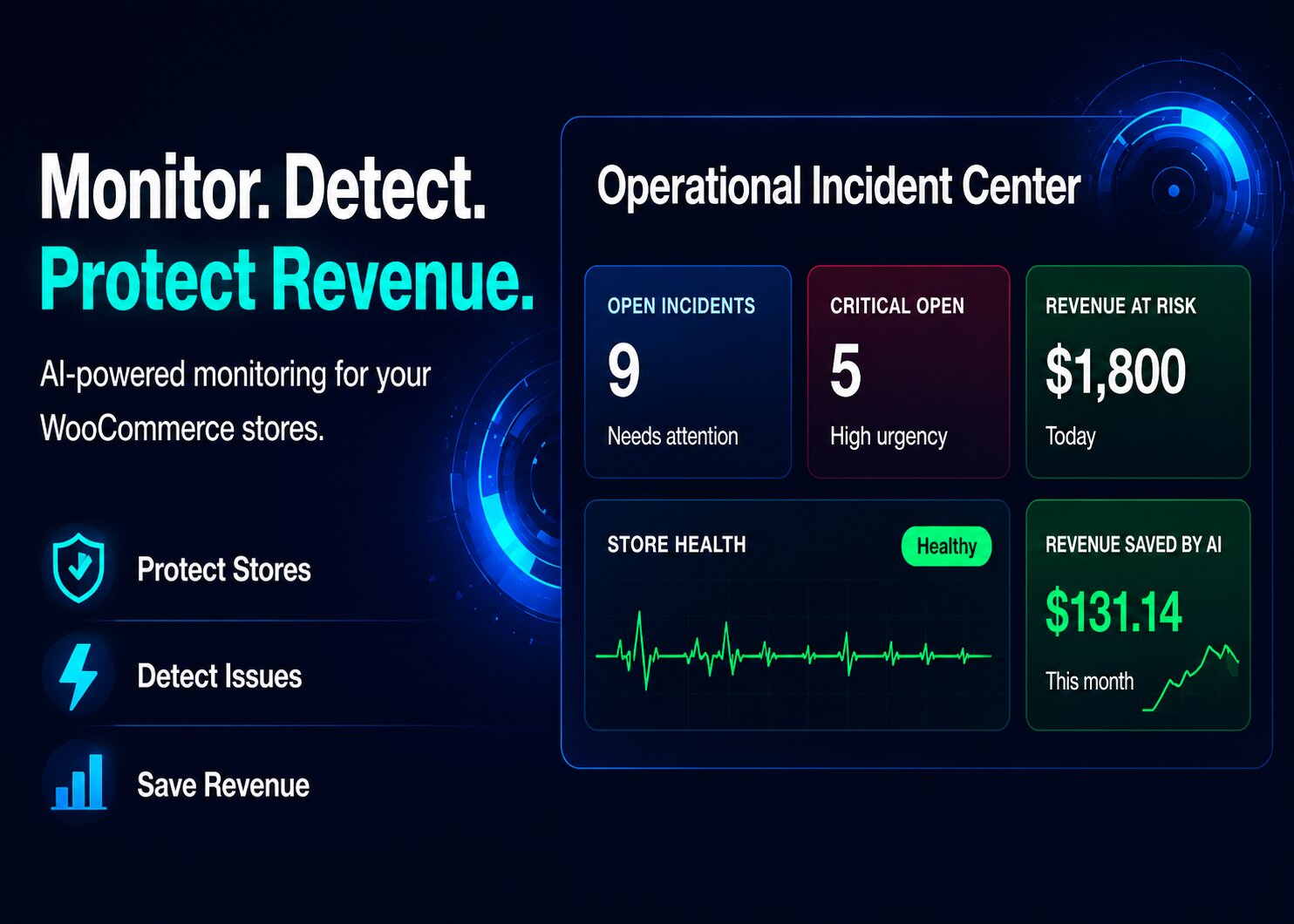
Revenue Protection
Why WooCommerce Monitoring Matters
Store owners and teams need WooCommerce monitoring software that catches hidden risks before they become lost revenue, support tickets, and messy recovery work.
Products go out of stock unnoticed
Low stock and stockout risk can quietly block purchases before anyone on the team sees the problem.
Orders silently stop
Order inactivity may point to checkout, payment, traffic, or operational problems that need fast attention.
Store sync fails
Stale or failed sync data creates blind spots across products, orders, incidents, and store health.
Revenue changes go unnoticed
Revenue drops, order declines, and product sales changes are often discovered too late unless someone checks reports manually.
Priorities are unclear
Operators need to know which issue matters most, why it matters, and what action should happen next.
Customer experience suffers
When operational issues stay hidden, customers may face unavailable products, delayed responses, or broken purchase journeys.
Monitor → Detect → Act
A WooCommerce Monitoring Workflow Built for Real Operations
WooSentinel turns store activity, revenue movement, and incidents into clear operational signals, human-reviewed next steps, and AI-assisted context. Learn how WooCommerce store health monitoring supports daily operations.
01
Monitor
Track store health, order activity, products, stock levels, sync freshness, revenue movement, and operational signals.
02
Detect
Identify incidents such as low stock, stockout risk, sync failure, order inactivity, revenue drops, order drops, and AOV changes.
03
Act with prepared actions
WooSentinel prepares safe, human-reviewed actions through AI Action Queue so teams can approve, execute, or dismiss operational next steps.
AI Action Queue
AI Found Issues and Prepared Actions for You
WooSentinel turns incidents into safe recommended actions through AI Action Queue. Nothing risky executes automatically, and every operational workflow remains human-reviewed.
1
Detect issue
WooSentinel detects WooCommerce incident signals such as stock risk, sync health issues, revenue movement, and order inactivity.
2
Prepare recommended actions
AI Action Queue prepares incident summaries, store health checks, product review hints, reorder checklists, and draft supplier emails.
3
Review and execute safely
Your team reviews recommendations, approves safe internal actions, executes them where appropriate, or dismisses them with human approval required.
No risky WooCommerce action executes automatically. WooSentinel keeps the workflow human-in-the-loop.
AI Revenue Watch
WooCommerce Revenue Monitoring Before Problems Become Revenue Loss
WooSentinel compares daily, weekly, and monthly revenue performance, detects drops, and sends Revenue Pulse email reports. For more context, review the Revenue Watch feature overview.
Daily, Weekly, Monthly Revenue Pulse
Compare revenue, orders, AOV, and product movement against the previous period so teams can see what changed.
Revenue Drop and Product Decline Alerts
Detect revenue drops, order drops, AOV drops, and product-level declines before they become hidden WooCommerce revenue protection problems.
Revenue Watch Incidents
Turn major revenue changes into WooCommerce incident detection workflows with revenue impact and recommended checks.
Email Digests
Send Daily Revenue Pulse, Weekly Revenue Pulse, Monthly Revenue Watch, and revenue drop alert emails based on store settings.
AI-enhanced Revenue Analysis
Business, Premium, and Enterprise can use wallet-gated OpenAI-enhanced analysis when wallet balance and AI controls allow.
Deterministic Fallback
Revenue Watch includes deterministic monitoring so WooCommerce revenue alerts and comparison reports are not dependent only on OpenAI output.
Operational Demo
See WooCommerce Monitoring Signals in One Operational Workflow
The dashboard is built around the WooCommerce monitoring work store owners, agencies, multi-store operators, and eCommerce teams do every day, from sync failure detection to revenue alerts.
Low stock detected
Spot products that are close to stockout before campaigns or demand spikes turn into missed sales.
No orders for hours
Catch unexpected order inactivity early so the team can investigate checkout, payments, traffic, or store issues.
Revenue risk found
Surface incidents that may affect revenue and separate urgent problems from routine operational noise.
Sync failure detected
Know when WooCommerce data freshness breaks and which connected store needs attention.
AI priority explained
Understand which issue matters most, why it was flagged, and what action should happen next.
Wallet or billing alert surfaced
See important billing, wallet, or AI usage alerts before they interrupt advanced monitoring workflows.
Revenue Watch detected
Detect revenue drops, order drops, AOV changes, and product revenue declines as operational signals.
AI Action Queue prepared actions
Review prepared incident summaries, store checks, reorder checklists, product review hints, and supplier email drafts.
Revenue Pulse email sent
Send daily, weekly, monthly, and alert-based email digests so teams do not need to check analytics manually.
Features
Everything Needed for WooCommerce Monitoring and Revenue Protection
Store Health Monitoring
Track operational health across orders, products, stock, sync freshness, revenue movement, and store activity.
Incident Detection
Detect WooCommerce incident signals before they become long-running revenue or customer experience problems.
AI Copilot
Ask what happened, why it matters, and what the team should investigate or fix first. See how AI WooCommerce monitoring supports incident review.
AI Action Queue
Prepare safe, human-reviewed operational actions from detected incidents so teams can approve, execute safe internal actions, or dismiss them.
AI Revenue Watch
Compare daily, weekly, and monthly revenue movement, detect revenue drops, order drops, AOV drops, and product-level declines.
Revenue Pulse Email Reports
Send Daily Revenue Pulse, Weekly Revenue Pulse, Monthly Revenue Watch, and revenue drop alert emails from store settings.
Revenue Watch Incidents
Turn significant revenue movement into incidents with estimated revenue impact, likely drivers, recommended checks, and Action Queue follow-up.
Revenue Impact Insights
Revenue Watch connects revenue changes to incidents, ROI, and revenue-at-risk workflows so teams can prioritize what matters financially.
Sync Failure Monitoring
Know when store data is stale, incomplete, or not syncing as expected.
Low Stock and Stockout Risk
Monitor product availability and catch inventory risk while there is still time to act.
AI Usage and Wallet Control
Track AI usage and use wallet-based PAYG controls for enhanced incident reasoning, Revenue Watch, and Action Queue analysis.
Operational Notifications
Surface important store, billing, wallet, webhook, email digest, and monitoring alerts so teams can respond sooner.
Why WooSentinel
More Than Analytics. A WooCommerce Operations Monitoring Platform.
Typical tools
- Show reports after something already happened
- Depend on manual checks across multiple screens
- Create alerts without clear operational priority
- Leave teams guessing what to fix first
WooSentinel
- Monitors store health, incidents, revenue movement, and hidden WooCommerce revenue loss
- Explains revenue risk, operational impact, and low stock and stockout risk
- Prepares safe human-reviewed actions with deterministic fallback and wallet-controlled AI where eligible
- Sends Revenue Pulse reports and alerts for WooCommerce revenue protection
How It Works
Connect WooCommerce and Start Monitoring Operational Risk
01
Connect WooCommerce
Securely connect your store using WooCommerce API credentials and start syncing operational data.
02
Monitor operations
WooSentinel watches products, orders, stock, sync health, incidents, and revenue-risk signals.
03
Review prepared actions
WooSentinel explains what changed and prepares safe recommended actions for your team to approve, execute, or dismiss.
04
Protect revenue
Revenue Watch and Action Queue help teams respond before small issues turn into lost sales.
05
Revenue Watch alerts
Compare revenue, orders, AOV, and product movement so teams can spot drops before they become bigger losses.
06
Revenue Pulse emails
Send daily, weekly, and monthly revenue summaries so store owners do not need to check reports manually.
Trust and Controls
Built for Predictable WooCommerce Operations
WooSentinel is designed around predictable WooCommerce monitoring, deterministic fallback, wallet-controlled AI usage, revenue visibility, and human-reviewed operations. Review the security and trust approach.
Built For
WooCommerce Monitoring for Store Owners, Agencies, and Teams
WooCommerce Store Owners
Know when products, orders, stock, revenue, or store health signals need attention before they affect sales.
Agencies
Monitor client stores from one place with clearer visibility into incidents, sync health, revenue changes, and priorities.
eCommerce Teams
Give teams an AI-assisted way to monitor store operations, investigate issues, review prepared actions, and act faster.
Pricing Preview
WooCommerce Monitoring Plans for Every Stage of Growth
Start with one store, then scale into multi-store monitoring, Revenue Watch, AI Action Queue, and wallet-controlled AI as your operation grows. Compare WooCommerce monitoring plans by store count and AI needs.
Starter
Reliable monitoring for small WooCommerce stores with rule-based guidance and no OpenAI usage cost.
- 1 WooCommerce store
- Store health monitoring
- Deterministic Revenue Watch
- AI Action Queue with rule-based recommendations
- Sync failure detection
- Low stock and stockout risk incidents
- Revenue impact tracking
- No OpenAI chat included
- No automated AI incident reasoning
- No automated AI ROI summaries
Growth
For growing single-store operators who want Starter features plus manual AI Copilot chat.
- 1 WooCommerce store
- Everything in Starter
- Deterministic Revenue Watch
- AI Action Queue with rule-based recommendations
- Manual AI Copilot Chat
- 1000 AI messages/month
- Ask AI about incidents
- Ask AI about revenue impact
- No automated AI incident reasoning
- No wallet required
Pro
For serious WooCommerce operators needing more AI chat capacity and deeper investigation support.
- 1 WooCommerce store
- Everything in Growth
- Deterministic Revenue Watch
- AI Action Queue with rule-based recommendations
- Manual AI Copilot Chat
- 2000 AI messages/month
- More incident investigation capacity
- More revenue analysis capacity
- No automated AI incident reasoning
- No wallet required
Business
For multi-store operators who need automated AI reasoning, ROI insights, and wallet-based usage.
- 1 WooCommerce store
- Exclusive PAYG wallet
- AI-enhanced Revenue Watch where wallet and AI controls allow
- OpenAI-enhanced Action Queue where eligible
- Deterministic fallback
- Pay-as-you-go AI wallet
- Automated AI incident reasoning
- Automated AI ROI summaries
- Low wallet balance alerts
- Manual AI Copilot Chat included
Premium
For agencies and growing teams managing several WooCommerce stores with advanced AI support.
- Up to 3 WooCommerce stores
- Everything in Business
- AI-enhanced Revenue Watch where wallet and AI controls allow
- OpenAI-enhanced Action Queue where eligible
- Deterministic fallback
- Pay-as-you-go AI wallet
- Automated AI incident reasoning
- Automated AI ROI summaries
- Advanced per-store AI controls
- Priority support
Enterprise
For larger WooCommerce operations needing custom limits, usage terms, and dedicated support.
- Unlimited WooCommerce stores
- Everything in Premium
- AI-enhanced Revenue Watch where wallet and AI controls allow
- OpenAI-enhanced Action Queue where eligible
- Deterministic fallback
- Custom AI usage terms
- Custom wallet and billing structure
- Dedicated onboarding
- Dedicated support
- Enterprise usage planning
Business+ uses PAYG AI wallet for automated incident reasoning, Revenue Watch analysis, Action Queue enhancement, and ROI AI.
FAQ
Questions About WooCommerce Monitoring?
Does WooSentinel change my WooCommerce store?
WooSentinel is designed as a monitoring and operations layer. It reads store data through a WooCommerce API connection and does not require changing your storefront experience.
What is AI Action Queue?
AI Action Queue prepares safe recommended actions from detected incidents. Users review, approve, execute safe internal actions, or dismiss them. Risky WooCommerce changes do not happen automatically.
What is AI Revenue Watch?
AI Revenue Watch compares daily, weekly, and monthly revenue movement, detects revenue drops, order drops, AOV drops, and product-level declines, then provides summaries and email reports.
Does WooSentinel send revenue emails?
Yes. WooSentinel can send Daily Revenue Pulse, Weekly Revenue Pulse, Monthly Revenue Watch, and revenue drop alert emails based on store settings.
Does AI change my store automatically?
No. WooSentinel uses a human-in-the-loop workflow. AI can prepare recommendations and drafts, but risky WooCommerce actions do not execute automatically.
How does AI billing work?
Core monitoring is plan-based. Advanced AI features on Business and higher plans can use wallet-based PAYG controls for incident reasoning, Revenue Watch, Action Queue, and ROI AI.
Can agencies manage multiple stores?
Yes. Business, Premium, and Enterprise plans are structured for agencies, multi-store operators, and eCommerce teams that need broader operational visibility.
Can WooSentinel help prioritize what to fix first?
Yes. WooSentinel organizes incidents with context such as severity, revenue impact, prepared actions, and operational priority so teams can focus on the issues that matter most.
Explore WooSentinel
Learn more about WooCommerce monitoring
Explore WooSentinel features, pricing, use cases, security, resources, and support to understand how WooCommerce monitoring fits your operation.
WooCommerce Monitoring Features
See store health, incident detection, Revenue Watch, AI Copilot, and AI Action Queue features.
WooCommerce Monitoring Pricing
Compare plans, store limits, AI usage, wallet controls, and support options.
WooCommerce Monitoring Use Cases
See how store owners, agencies, and multi-store teams use WooSentinel.
WooCommerce Monitoring Security
Learn about store access, AI controls, Revenue Watch boundaries, and trust.
WooCommerce Monitoring Blog
Read guides about Revenue Watch, AI Action Queue, sync failures, and store health.
WooCommerce Monitoring Support
Contact WooSentinel for sales, billing, support, agency, or onboarding questions.
Start Monitoring WooCommerce Operations Before Revenue Is Affected
Monitor operations, detect revenue movement, and review AI-prepared actions from one WooCommerce operations layer. Explore use cases or start from the app pricing flow.