
AI Revenue Analysis for WooCommerce Stores
Understand AI revenue analysis for WooCommerce, including revenue movement, product drivers, wallet controls, and deterministic fallback.
Revenue Watch | June 2, 2026
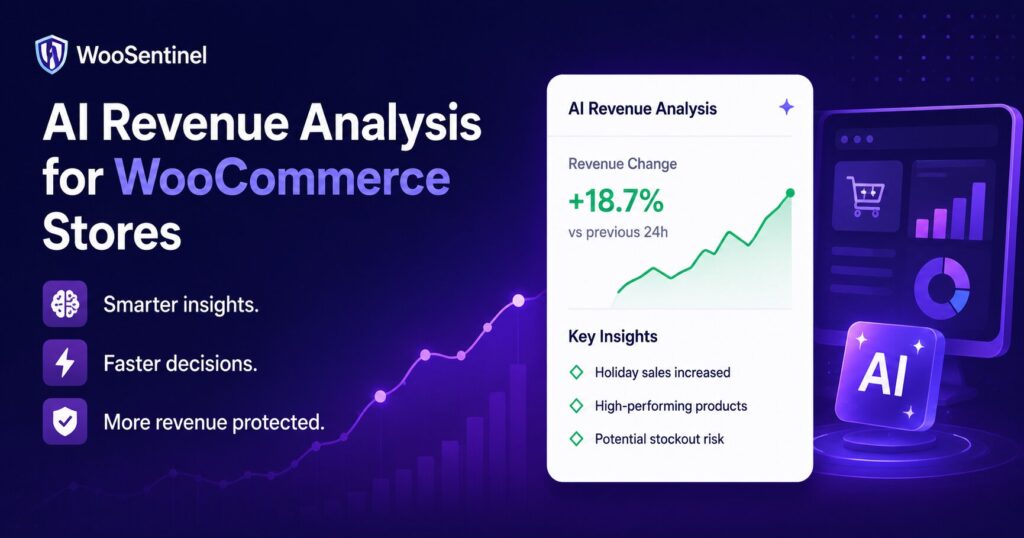
AI revenue analysis for WooCommerce helps store teams understand revenue drops, order changes, AOV movement, and product-level decline with clearer operational context.
AI revenue analysis helps WooCommerce teams interpret revenue movement rather than only seeing numbers. In WooSentinel, Revenue Watch can compare revenue, orders, AOV, and product movement, then eligible stores can receive OpenAI-enhanced explanations when wallet balance and AI controls allow. Deterministic monitoring remains available when AI enhancement is not used.
This guide explains the concept, the operational signals to watch, and how WooSentinel approaches the workflow carefully. It is written for store owners, agencies, and eCommerce teams evaluating WooCommerce monitoring, WooCommerce incident detection, and revenue protection without handing risky store changes to automation.
Why AI Revenue Analysis Matters for WooCommerce
Numbers alone can be hard to act on. A revenue drop might be caused by fewer orders, lower average order value, product-level decline, or operational signals such as stock and sync issues. AI revenue analysis can help summarize likely drivers and recommended checks so the team has a clearer starting point.
WooCommerce teams are often busy with fulfillment, product updates, customer questions, campaigns, and supplier communication. When operational risk is hidden inside separate reports or admin screens, small issues can sit unnoticed. Monitoring brings those signals into a repeatable review process so the team can decide what needs attention first.
The important distinction is that visibility is not the same as automatic repair. WooSentinel is designed to monitor, detect, explain, and prepare recommended checks. Risky WooCommerce actions such as changing product stock, editing orders, issuing refunds, or changing checkout settings do not happen automatically.
WooCommerce Signals AI Revenue Analysis Can Explain
A good operational workflow looks for patterns that affect revenue, customer experience, or team workload. Depending on the store and plan, these signals may include:
- daily, weekly, and monthly revenue movement
- order count and average order value changes
- top product performance changes
- likely drivers summarized in plain language
- recommended operational checks
- wallet-gated OpenAI-enhanced analysis for eligible plans
- deterministic fallback for core Revenue Watch monitoring
Practical example
If weekly revenue drops while order count also declines, AI revenue analysis can explain the pattern and suggest checks such as stock availability, top product movement, recent catalog changes, checkout visibility, and sync freshness. The explanation helps triage; it does not replace human review or guarantee a specific outcome.
In practice, the best response is usually a set of checks rather than a single assumption. Teams may review store health, order freshness, product availability, sync status, revenue movement, recent product changes, and notification settings. A structured workflow reduces guesswork and makes it easier to explain why a specific issue was prioritized.
How WooSentinel helps
WooSentinel connects WooCommerce monitoring with incident detection, Revenue Watch, AI Copilot guidance, and AI Action Queue workflows. The product-led goal is simple: help teams see what changed, understand why it might matter, and review safe next steps from one operational layer.
WooSentinel uses AI revenue analysis to connect Revenue Watch comparisons, product movement, incident context, wallet controls, and safe human-reviewed workflows.
- uses Revenue Watch comparisons as the operational foundation
- adds OpenAI-enhanced explanations for Business, Premium, and Enterprise where allowed
- keeps usage governed through wallet balance and AI controls
- summarizes affected products and likely drivers
- connects revenue movement with incident and ROI workflows
- keeps deterministic fallback available when AI analysis is disabled or unavailable
Deterministic fallback and AI controls
WooSentinel keeps deterministic monitoring and rule-based insight available so teams are not dependent on OpenAI-enhanced analysis for every workflow. Where OpenAI-assisted features are available, they depend on plan permissions, wallet balance, and AI controls. This helps protect tenant spending and keeps advanced AI usage visible.
Human-reviewed action model
AI Action Queue is intentionally human-in-the-loop. AI can prepare summaries, recommended checks, and drafts, but users review actions before execution. Safe internal actions can be recorded after approval, while risky WooCommerce writes are not performed automatically.
Operational checklist for teams
When evaluating this workflow, start by deciding which signals should create an alert and which should become an incident. A single small movement may only need a note, while a larger revenue drop, repeated sync failure, or high-priority stock risk may deserve a structured incident.
Next, define who reviews each type of issue. Store owners may handle product and supplier checks directly, agencies may route work by client account, and larger teams may separate revenue review from technical troubleshooting. The value of monitoring increases when alerts turn into clear ownership.
Finally, keep AI usage intentional. Use deterministic monitoring as the baseline. Use AI-enhanced explanations where the plan, wallet, and controls allow, especially when a team needs faster summaries, likely drivers, or recommended investigation paths. This creates a safer balance between speed and governance.
Continue Exploring WooCommerce Monitoring
Learn more about WooCommerce monitoring, incident detection,
revenue protection, AI Action Queue, Revenue Watch, pricing,
security, and operational workflows.
WooCommerce Monitoring Platform
Learn how WooSentinel helps monitor store health, detect
operational incidents, protect revenue, and prepare
AI-assisted actions for review.
WooCommerce Monitoring Features
Explore Revenue Watch, AI Action Queue, AI Copilot,
incident detection, store health monitoring,
and revenue protection tools.
WooCommerce Monitoring Pricing
Compare plans, AI access, wallet controls,
store limits, and support options for
WooCommerce monitoring.
WooCommerce Monitoring Use Cases
See how WooSentinel helps store owners,
agencies, multi-store operators, and
enterprise WooCommerce teams.
WooCommerce Monitoring Security
Learn about store access, AI controls,
Revenue Watch boundaries, billing transparency,
and operational trust.
WooCommerce Monitoring FAQ
Find answers about Revenue Watch,
AI Action Queue, AI billing, plans,
incidents, and WooCommerce monitoring.
FAQ
What is AI revenue analysis?
AI revenue analysis is OpenAI-enhanced explanation of revenue movement, likely drivers, affected products, and recommended operational checks.
Which plans can use it?
Business, Premium, and Enterprise can use AI-enhanced revenue analysis when wallet balance, permissions, and AI controls allow.
Is deterministic Revenue Watch still available?
Yes. Deterministic Revenue Watch can remain available without OpenAI-enhanced analysis.
Does AI change store settings?
No. AI analysis explains and recommends checks; it does not automatically change WooCommerce products, orders, refunds, stock, or checkout settings.
Does this use visitor tracking?
No. The current workflow uses synced WooCommerce order and product data, not visitor behavior or abandoned cart tracking.
Start monitoring WooCommerce operations with more context
WooSentinel helps teams monitor WooCommerce operations, detect revenue movement, and review AI-prepared actions without sending checkout, login, or billing logic through the marketing site. Start Free Trial or compare the details on the pricing page.
For teams building a more reliable WooCommerce operations process, the key is consistency. Review incidents daily, confirm notification settings, keep store connections healthy, and document which checks should happen before a customer-facing issue escalates. WooSentinel is built to support that discipline with monitoring, recommended checks, internal links between workflows, and clear controls around OpenAI-enhanced features.
Ready to detect WooCommerce issues before they affect revenue?
Use WooSentinel to monitor store health, detect incidents, and understand what to fix first.