
How Multi-Store WooCommerce Monitoring Works
A guide outline for agencies and operators managing store health, incidents, AI usage, and priorities across multiple stores.
Multi-store Operations | May 23, 2026
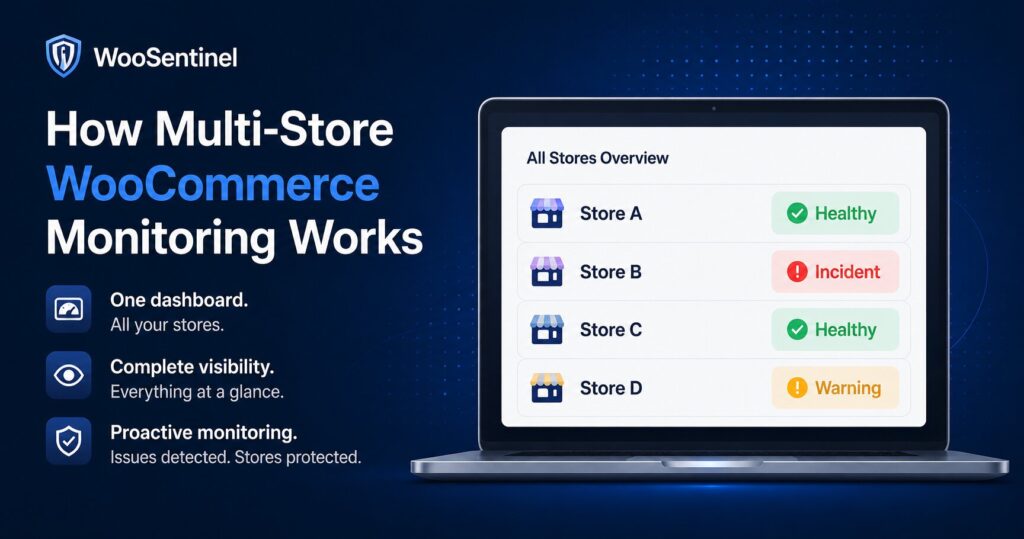
Multi-store WooCommerce monitoring helps agencies, operators, and eCommerce teams identify operational risk across multiple stores without constantly switching between separate WooCommerce dashboards.
WooSentinel brings store health, incidents, revenue movement, sync status, AI Copilot context, Revenue Watch, and AI Action Queue recommendations into a clearer workflow. The goal is to support prioritization without claiming that AI automatically fixes stores.
As store count grows, small gaps become harder to notice. A sync failure in one store, a product decline in another, and order inactivity somewhere else can all compete for attention. Multi-store monitoring gives teams one place to review those signals and assign next steps.
Why Multi-Store WooCommerce Monitoring Matters
Running one WooCommerce store already involves products, orders, stock, sync health, customer experience, and revenue. Running several stores multiplies that complexity. Agencies also need to explain issues to clients with enough context to be useful.
Multi-store WooCommerce monitoring reduces the risk of missed operational signals by creating a shared view of incidents, store health, Revenue Watch alerts, and AI-prepared actions. It helps teams move from scattered checks to a repeatable operating rhythm.
The workflow becomes even more important when AI usage is involved. Wallet-controlled AI and per-store AI settings help eligible plans decide where OpenAI-enhanced explanations are appropriate and where deterministic monitoring is enough.
Multi-Store WooCommerce Monitoring Signals to Monitor
Useful WooCommerce operations monitoring starts with signals that help a team decide whether an issue needs review. The exact priority depends on the store, plan, and workflow, but these signals are a practical starting point.
- store-by-store health and connection status
- sync freshness and sync_failure incidents
- low stock, stockout risk, and order inactivity signals
- daily, weekly, and monthly revenue movement per store
- Revenue Pulse emails and Revenue Watch incidents
- AI Action Queue recommendations by store
- wallet-controlled AI usage and per-store AI settings
Practical example
An agency manages five WooCommerce stores. One has a revenue drop, another has stockout risk, and another has a sync failure. Without a shared monitoring layer, the team may discover these issues only when a client asks or a customer complains.
With WooSentinel, the team can review each store’s health, compare incident priority, check Revenue Watch context, and use AI Action Queue to prepare recommended checks. Humans still review actions, and risky WooCommerce changes do not happen automatically.
How WooSentinel helps
WooSentinel brings WooCommerce monitoring, incident detection, Revenue Watch, AI Copilot, and AI Action Queue workflows into one product-led operating layer. The purpose is to help teams understand what changed and review what to do next, not to replace human judgment.
- supports multi-store visibility for agencies and operators
- keeps incidents, Revenue Watch alerts, and store health signals easier to compare
- helps teams prioritize the most important operational risks
- supports per-store AI settings and wallet-controlled OpenAI enhancement where eligible
- uses AI Action Queue to prepare recommended checks for human review
- links store count and AI needs clearly to plan selection on the pricing page
Deterministic fallback and AI controls
Deterministic monitoring is the baseline. WooSentinel can detect many store health, sync, stock, incident, and revenue signals without requiring OpenAI-enhanced analysis. Where OpenAI-assisted features are available, they depend on plan permissions, wallet balance, and AI controls.
This approach gives teams a safer balance. They can use wallet-controlled AI for deeper explanations and recommendations when it fits the workflow, while still keeping rule-based monitoring and operational context available when AI is disabled or unavailable.
Human-reviewed action model
WooSentinel uses a human-reviewed workflow for prepared actions. AI Action Queue can create summaries, product review hints, store health checks, reorder checklists, or draft supplier emails, but users review the recommendation before deciding what to approve, execute safely, or dismiss.
Risky WooCommerce writes do not happen automatically. WooSentinel does not automatically change products, orders, refunds, stock, checkout, login, or billing settings as part of these monitoring workflows.
Operational checklist for teams
Use this checklist to turn the topic into a practical review habit for store owners, agencies, or eCommerce teams.
- Group stores by owner, client, or operational priority.
- Review store health and sync freshness before interpreting revenue movement.
- Compare incidents by severity, revenue impact, and urgency.
- Decide which stores can use OpenAI-enhanced analysis and which should remain deterministic.
- Use Revenue Pulse reports to keep store owners informed without manual report checking.
- Review AI Action Queue tasks before approving, executing safe internal actions, or dismissing them.
Continue Exploring WooCommerce Monitoring
Learn more about WooCommerce monitoring, incident detection,
revenue protection, AI Action Queue, Revenue Watch, pricing,
security, and operational workflows.
WooCommerce Monitoring Platform
Learn how WooSentinel helps monitor store health, detect
operational incidents, protect revenue, and prepare
AI-assisted actions for review.
WooCommerce Monitoring Features
Explore Revenue Watch, AI Action Queue, AI Copilot,
incident detection, store health monitoring,
and revenue protection tools.
WooCommerce Monitoring Pricing
Compare plans, AI access, wallet controls,
store limits, and support options for
WooCommerce monitoring.
WooCommerce Monitoring Use Cases
See how WooSentinel helps store owners,
agencies, multi-store operators, and
enterprise WooCommerce teams.
WooCommerce Monitoring Security
Learn about store access, AI controls,
Revenue Watch boundaries, billing transparency,
and operational trust.
WooCommerce Monitoring FAQ
Find answers about Revenue Watch,
AI Action Queue, AI billing, plans,
incidents, and WooCommerce monitoring.
FAQ
Who needs multi-store WooCommerce monitoring?
Agencies, multi-store businesses, and teams managing several WooCommerce stores benefit from shared visibility into store health, incidents, and revenue movement.
How many stores can WooSentinel support?
Plan limits vary. Business supports up to 3 stores, Premium supports up to 5, and Enterprise can support unlimited or custom arrangements. See pricing.
Can AI be controlled per store?
Eligible plans can use per-store AI settings and wallet controls so teams can manage OpenAI-enhanced usage more carefully.
Does WooSentinel automatically change client stores?
No. WooSentinel is a monitoring and operations layer. Risky WooCommerce changes do not execute automatically.
Where can agencies learn more?
Can agencies prioritize incidents across multiple stores?
Yes. Multi-store WooCommerce monitoring helps agencies compare incidents, store health, sync status, and revenue movement so teams can focus on the highest-priority issues first.
The Use Cases page explains how agencies, support teams, and multi-store businesses can use WooSentinel.
Start monitoring WooCommerce operations with more context
WooSentinel helps teams monitor WooCommerce operations, detect revenue movement, review incidents, and use human-reviewed AI workflows with safer controls. Start Free Trial or compare plans on the pricing page.
Ready to detect WooCommerce issues before they affect revenue?
Use WooSentinel to monitor store health, detect incidents, and understand what to fix first.