
WooCommerce Monitoring for Agencies: Client Store Guide
WooCommerce monitoring for agencies helps teams track client store health, revenue movement, stock risks, incidents, and operational alerts from one workflow.
Agency Operations | June 23, 2026
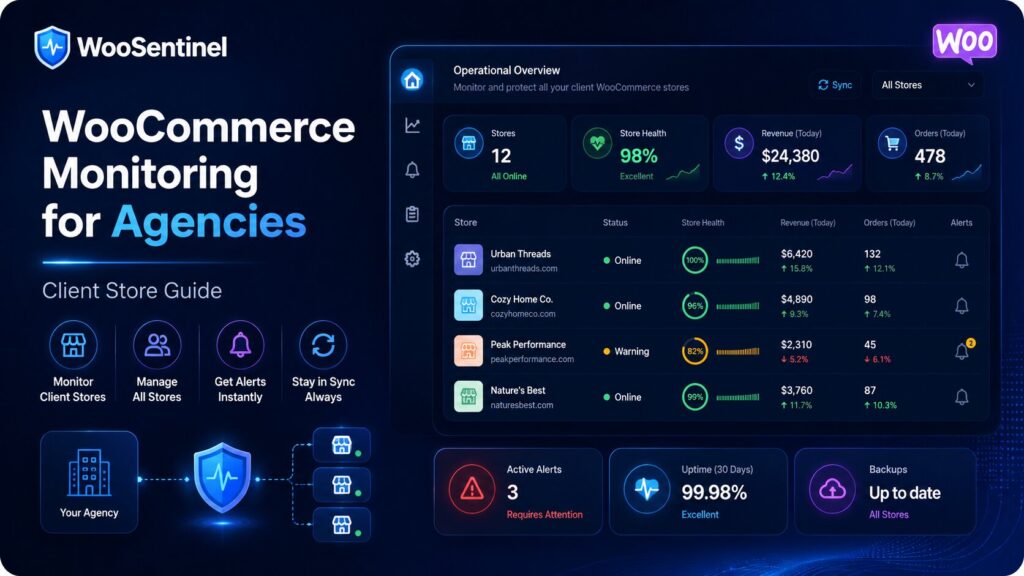
WooCommerce monitoring for agencies helps teams track client store health, revenue movement, stock pressure, failed orders, sync failures, and operational alerts across multiple WooCommerce stores.
An agency may manage several client stores at once, but each store can have different risks. One client may need revenue monitoring, another may need low stock alerts, another may need sync failure visibility, and another may need failed order investigation. A structured monitoring process helps agencies detect problems earlier and communicate with clients more clearly.
This guide explains what WooCommerce agencies should monitor, how client store monitoring works, and how WooSentinel approaches the workflow carefully. It is written for agencies, maintenance teams, store managers, and eCommerce operators evaluating WooCommerce monitoring, incident detection, revenue protection, and AI-assisted workflows without handing risky store changes to automation.
Why WooCommerce Monitoring for Agencies Matters
Agencies are often responsible for keeping client WooCommerce stores reliable, updated, and commercially healthy. But traditional maintenance workflows usually focus on updates, backups, security, uptime, and support requests. Those are important, but they do not always show whether a store is selling normally.
A client store can be online while revenue drops, orders slow down, important products run low on stock, failed orders increase, or sync data becomes stale. If the agency only reacts after the client reports a problem, the issue may already have affected revenue or customer experience.
The important distinction is that monitoring is not the same as automatic repair. WooSentinel is designed to monitor, detect, explain, and prepare recommended checks. Risky WooCommerce actions such as changing product stock, editing orders, issuing refunds, changing payment settings, or changing checkout settings do not happen automatically.
Common WooCommerce Agency Monitoring Signals
A good agency monitoring workflow looks for patterns that affect revenue, store health, customer experience, or team workload. Depending on the client store and plan, these signals may include:
- revenue_drop when client store revenue falls compared with the selected period
- orders_drop when order volume declines unexpectedly
- no_orders_recent when expected order activity appears inactive
- aov_drop when average order value changes
- top_product_drop when important product revenue declines
- low stock or stockout risk affecting important products
- failed orders or payment gateway issues that may reduce completed purchases
- sync failures or stale data affecting store visibility
- recommended checks and possible AI Action Queue follow-up
Practical example
If an agency manages ten WooCommerce stores, it may not be practical to manually check every client dashboard each morning. One store may have no orders today, another may have a failed order spike, and another may have low stock on an important product. Without monitoring, those issues may stay hidden until the client notices.
In practice, the best response is usually a set of checks rather than a single assumption. Agencies may review client store health, order freshness, revenue movement, product availability, failed orders, sync status, recent plugin changes, and notification settings. A structured workflow reduces guesswork and makes it easier to explain why a specific client issue was prioritized.
How WooSentinel helps
WooSentinel connects WooCommerce monitoring with incident detection, Revenue Watch, Store Health, AI Copilot guidance, and AI Action Queue workflows. The product-led goal is simple: help agencies see what changed, understand why it might matter, and review safe next steps from one operational layer.
WooSentinel helps agencies monitor WooCommerce client stores with clearer operational context.
- monitors client store health across connected WooCommerce stores
- detects revenue drops, order drops, AOV changes, and product decline
- tracks low stock, stockout risk, failed orders, and sync failure signals
- turns meaningful changes into operational incidents for review
- helps agencies prioritize client issues by operational risk
- can prepare AI Action Queue follow-up for human review
- supports AI-enhanced explanations on eligible wallet-controlled plans
- keeps deterministic incident detection available without guaranteed recovery claims
Deterministic fallback and AI controls
WooSentinel keeps deterministic monitoring and rule-based insight available so agencies are not dependent on OpenAI-enhanced analysis for every workflow. Where OpenAI-assisted features are available, they depend on plan permissions, wallet balance, and AI controls. This helps protect tenant spending and keeps advanced AI usage visible.
Human-reviewed action model
AI Action Queue is intentionally human-in-the-loop. AI can prepare summaries, recommended checks, reorder checklists, and drafts, but users review actions before execution. Safe internal actions can be recorded after approval, while risky WooCommerce writes are not performed automatically.
Operational checklist for agencies
When building a WooCommerce monitoring process for client stores, start by defining which signals matter for every client. Most agencies should monitor revenue, orders, store health, failed orders, stock pressure, sync freshness, and no-order periods.
Next, decide which issues should become incidents. A small revenue movement may only need a note, while a larger order drop, failed order spike, no-order period, repeated sync failure, or urgent low-stock issue may deserve structured review and client communication.
Finally, define ownership. Agency support teams may review incidents daily, developers may handle checkout or sync problems, account managers may communicate with clients, and store owners may handle product or supplier checks. Monitoring becomes more valuable when alerts turn into clear ownership instead of scattered support work.
Related Resources
Continue Exploring WooCommerce Monitoring
Learn more about WooCommerce monitoring, incident detection,
revenue protection, AI Action Queue, Revenue Watch, pricing,
security, and operational workflows.
WooCommerce Monitoring Platform
Learn how WooSentinel helps monitor store health, detect
operational incidents, protect revenue, and prepare
AI-assisted actions for review.
WooCommerce Monitoring Features
Explore Revenue Watch, AI Action Queue, AI Copilot,
incident detection, store health monitoring,
and revenue protection tools.
WooCommerce Monitoring Pricing
Compare plans, AI access, wallet controls,
store limits, and support options for
WooCommerce monitoring.
WooCommerce Monitoring Use Cases
See how WooSentinel helps store owners,
agencies, multi-store operators, and
enterprise WooCommerce teams.
WooCommerce Monitoring Security
Learn about store access, AI controls,
Revenue Watch boundaries, billing transparency,
and operational trust.
WooCommerce Monitoring FAQ
Find answers about Revenue Watch,
AI Action Queue, AI billing, plans,
incidents, and WooCommerce monitoring.
FAQ
What is WooCommerce monitoring for agencies?
It is a workflow that helps agencies monitor client store health, revenue movement, orders, stock, failed orders, sync status, and operational incidents.
Why do agencies need WooCommerce monitoring?
Agencies need monitoring because client stores can have revenue drops, checkout issues, stock risks, failed orders, or sync failures before clients report them.
What should agencies monitor across WooCommerce stores?
Agencies should monitor revenue, orders, AOV, top product movement, failed orders, low stock, stockout risk, no-order periods, sync freshness, and store health.
Can WooSentinel help agencies manage multiple stores?
Yes. WooSentinel can help agencies monitor connected WooCommerce stores, detect incidents, review operational context, and prepare safe follow-up actions.
Can AI automatically change client stores?
No. WooSentinel focuses on monitoring, explanation, recommended checks, and human-reviewed workflows. Risky WooCommerce changes are not performed automatically.
Start monitoring WooCommerce client stores with more context
WooSentinel helps agencies monitor WooCommerce operations, detect client store issues, and review AI-prepared actions without sending checkout, login, or billing logic through the marketing site. Start Free Trial or compare the details on the pricing page.
For agencies building a more reliable WooCommerce monitoring process, the key is consistency. Review incidents daily, confirm notification settings, keep store connections healthy, and document which checks should happen before a client-facing issue escalates. WooSentinel is built to support that discipline with monitoring, recommended checks, internal links between workflows, and clear controls around OpenAI-enhanced features.
Ready to detect WooCommerce issues before they affect revenue?
Use WooSentinel to monitor store health, detect incidents, and understand what to fix first.