
WooCommerce Revenue Drop Alerts: Complete Guide
Learn how WooCommerce revenue drop alerts help detect sales declines, order drops, AOV changes, and product performance issues before they become lost sales.
Revenue Watch | June 13, 2026
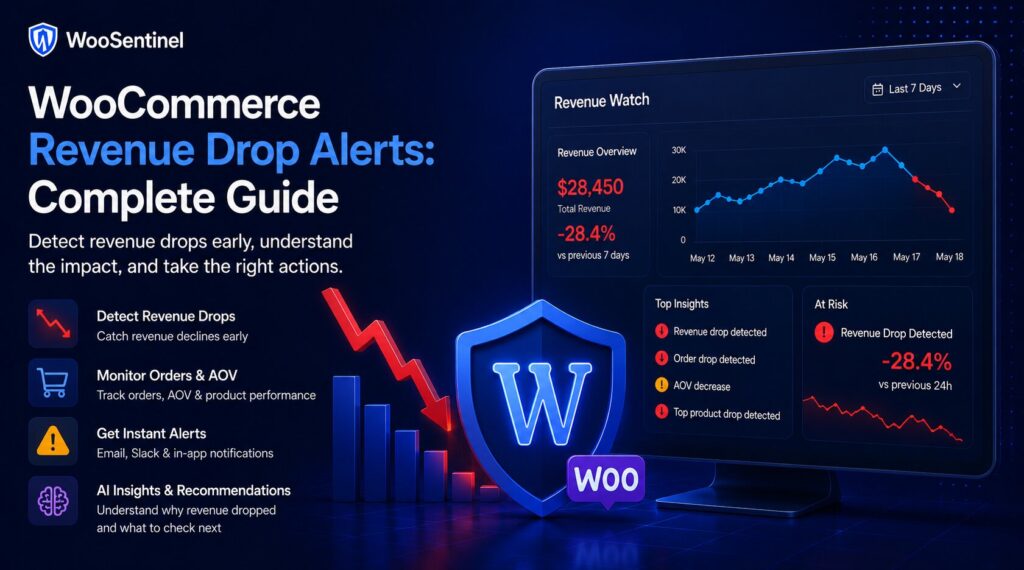
WooCommerce revenue drop alerts help store teams detect sales declines, order drops, AOV changes, and product-level revenue problems before they turn into larger operational issues.
A revenue drop alert is a signal that store performance has changed enough to deserve review. The goal is not to panic every time revenue moves. The goal is to identify meaningful changes, compare them with the right period, and help the team decide what to check next.
This guide explains how WooCommerce revenue drop alerts work, what signals matter, and how WooSentinel approaches revenue monitoring with Revenue Watch, incident detection, AI Copilot guidance, and human-reviewed AI Action Queue workflows.
What is a WooCommerce revenue drop alert?
A WooCommerce revenue drop alert is a notification or incident triggered when store revenue falls compared with a previous period, expected baseline, or selected comparison window.
For example, a store may generate less revenue today than yesterday, less revenue this week than last week, or less revenue this month than the previous month. That change may be normal, seasonal, or campaign-related. It may also point to a real operational problem.
A useful alert should help answer three questions:
- What changed?
- How much did it change?
- What should the team check first?
Without context, a revenue drop is only a number. With monitoring, comparison, and incident review, the team can decide whether the drop needs attention.
Why revenue drop alerts matter for WooCommerce stores
WooCommerce stores can lose revenue quietly. The site may still load, products may still appear, and the admin dashboard may look normal. But behind the scenes, orders may slow down, a top product may stop selling, checkout may become harder to complete, or stock issues may block purchases.
A daily report can show the problem later. A revenue drop alert helps the team notice the issue earlier.
Revenue drop alerts matter because they help teams:
- detect unusual revenue movement
- review order volume before the problem grows
- identify average order value changes
- spot product-level decline
- connect revenue movement with store health signals
- reduce manual checking across different dashboards
- create a repeatable operational review process
The value is not only in the alert itself. The value is in what happens after the alert: investigation, ownership, prioritization, and safe next steps.
Common reasons WooCommerce revenue drops
Revenue can drop for many reasons. Some are normal business changes. Others are operational problems that need review.
Common causes include:
- lower order volume compared with the previous period
- average order value dropping because customers buy cheaper products
- a top product losing sales or going out of stock
- low inventory creating purchase friction
- checkout or payment gateway issues
- failed orders increasing
- campaign traffic slowing down
- product visibility or pricing changes
- sync failures hiding fresh order or product data
- normal seasonality or weekday/weekend differences
This is why a good alert should avoid assuming one cause too quickly. A revenue drop may come from orders, AOV, product mix, stock, checkout, traffic, or operational data freshness.
Revenue drop vs order drop vs AOV drop
Not every revenue drop means the same thing. A useful WooCommerce monitoring workflow should separate the signals.
Revenue drop
A revenue drop means total revenue declined compared with the selected period. This is the broadest signal and often the first thing store owners notice.
Order drop
An order drop means fewer customers placed orders. This may point to traffic changes, checkout issues, payment problems, stock visibility, campaigns, or demand changes.
AOV drop
An average order value drop means customers may still be ordering, but the value per order is lower. This can happen when discounting changes, high-value products stop selling, bundles are removed, or product mix changes.
Top product drop
A top product drop means a previously important product is no longer contributing as expected. This may be caused by stock pressure, visibility changes, pricing, demand, competition, or product page issues.
Practical example
Imagine a WooCommerce store normally earns strong weekday revenue. Today, revenue is down compared with the same period yesterday. A basic report might only show the lower number.
A monitoring workflow should go further.
The team may check:
- whether order count dropped
- whether average order value dropped
- whether top products changed
- whether low-stock products are affecting sales
- whether failed orders increased
- whether checkout or payment issues appeared
- whether sync data is fresh
- whether the change matches normal seasonality
This approach reduces guesswork. Instead of asking only “Why is revenue down?”, the team can ask “Which signal changed first?”
What makes a good WooCommerce revenue drop alert?
A good revenue drop alert should be clear, actionable, and safe.
It should include:
- the comparison period
- the size of the revenue change
- order count context
- average order value context
- top product movement
- estimated impact or priority context
- recommended checks
- a clear incident or review workflow
A poor alert only says “revenue dropped.” A better alert explains what changed and helps the team decide what to review next.
When should a revenue drop become an incident?
Not every revenue movement needs an incident. Small changes can happen naturally. A store may perform differently by weekday, season, campaign, stock level, or customer behavior.
A revenue drop should become an incident when it is large enough, unusual enough, or connected to other operational signals.
Examples include:
- revenue drops sharply compared with the previous period
- orders stop or decline unexpectedly
- a top product suddenly stops selling
- low stock appears on important products
- failed orders increase around the same time
- sync freshness suggests the store data may be stale
- the same signal repeats across multiple checks
The goal is to avoid alert fatigue. Teams should not receive too many low-value alerts. They should receive meaningful signals that deserve review.
Manual revenue checking vs automated revenue monitoring
Many WooCommerce teams still check revenue manually. They open WooCommerce Analytics, payment dashboards, spreadsheets, email reports, or analytics tools.
Manual review can work when the store is small. But as order volume, products, plugins, campaigns, and client stores increase, manual checking becomes harder.
Automated monitoring helps create consistency. It can detect revenue movement, compare periods, surface incidents, and help teams review the same signals every day.
Manual checking is reactive. Revenue monitoring is repeatable.
How WooSentinel helps
WooSentinel uses Revenue Watch to monitor WooCommerce revenue movement and turn meaningful changes into operational context. Instead of treating every revenue change as a simple number, WooSentinel helps teams review revenue incidents with supporting signals and recommended checks.
WooSentinel can help teams monitor:
- revenue drops
- order drops
- average order value changes
- top product decline
- estimated revenue impact
- store health signals
- low stock and stockout-risk context
- sync failure visibility
- AI-assisted explanations on eligible plans
- AI Action Queue follow-up for human review
The product-led goal is simple: help teams see what changed, understand why it might matter, and review safe next steps from one operational layer.
Revenue Watch and comparison context
Revenue Watch is designed to help teams compare revenue movement across useful periods. This can support daily review, weekly comparison, and monthly monitoring.
A store owner may want to know whether today looks weaker than yesterday. An agency may want to know whether a client store is trending down compared with last week. A larger team may want a monthly view of product-level decline or revenue risk.
Revenue monitoring becomes more useful when comparison is consistent.
Deterministic fallback and AI controls
WooSentinel keeps deterministic monitoring and rule-based insight available so teams are not dependent on OpenAI-enhanced analysis for every workflow. Where OpenAI-assisted features are available, they depend on plan permissions, wallet balance, and AI controls. This helps protect tenant spending and keeps advanced AI usage visible.
Human-reviewed action model
AI Action Queue is intentionally human-in-the-loop. AI can prepare summaries, recommended checks, and drafts, but users review actions before execution. Safe internal actions can be recorded after approval, while risky WooCommerce writes are not performed automatically.
Operational checklist for revenue drop alerts
When a revenue drop alert appears, teams should avoid jumping to one assumption. Start with a structured checklist.
Review:
- current revenue compared with the selected period
- order count compared with the selected period
- average order value movement
- top product performance
- stock status of important products
- failed orders and payment issues
- checkout visibility and checkout completion
- recent product, price, coupon, or campaign changes
- sync freshness and API status
- normal seasonality or day-of-week patterns
After review, assign ownership. A product issue may go to the store owner. A checkout problem may go to the developer or agency. A stock issue may go to the operations or supplier team.
Good monitoring should not only detect the issue. It should help the right person review it.
Related Resources
Continue Exploring WooCommerce Monitoring
Learn more about WooCommerce monitoring, incident detection,
revenue protection, AI Action Queue, Revenue Watch, pricing,
security, and operational workflows.
WooCommerce Monitoring Platform
Learn how WooSentinel helps monitor store health, detect
operational incidents, protect revenue, and prepare
AI-assisted actions for review.
WooCommerce Monitoring Features
Explore Revenue Watch, AI Action Queue, AI Copilot,
incident detection, store health monitoring,
and revenue protection tools.
WooCommerce Monitoring Pricing
Compare plans, AI access, wallet controls,
store limits, and support options for
WooCommerce monitoring.
WooCommerce Monitoring Use Cases
See how WooSentinel helps store owners,
agencies, multi-store operators, and
enterprise WooCommerce teams.
WooCommerce Monitoring Security
Learn about store access, AI controls,
Revenue Watch boundaries, billing transparency,
and operational trust.
WooCommerce Monitoring FAQ
Find answers about Revenue Watch,
AI Action Queue, AI billing, plans,
incidents, and WooCommerce monitoring.
FAQ
What is a WooCommerce revenue drop alert?
A WooCommerce revenue drop alert is a signal that store revenue has declined enough compared with a selected period to deserve review.
What causes WooCommerce revenue to drop?
Common causes include fewer orders, lower average order value, top product decline, low stock, checkout problems, failed orders, traffic changes, sync issues, or normal seasonality.
Is a revenue drop always a store problem?
No. Some revenue movement is normal. A useful monitoring workflow compares the drop with other signals before assuming there is a serious problem.
Can WooSentinel detect revenue drops?
Yes. WooSentinel Revenue Watch can help detect revenue movement and turn meaningful changes into operational context, incidents, and recommended checks.
Can AI explain WooCommerce revenue drops?
Eligible plans can receive OpenAI-enhanced explanations when wallet balance and AI controls allow. Deterministic fallback remains available.
Can WooSentinel automatically fix revenue drops?
No. WooSentinel is designed around monitoring, detection, explanation, and human-reviewed action workflows. Risky WooCommerce changes are not performed automatically.
Start monitoring WooCommerce revenue drops with more context
WooSentinel helps teams monitor WooCommerce operations, detect revenue movement, and review AI-prepared actions without sending checkout, login, or billing logic through the marketing site. Start Free Trial or compare the details on the pricing page.
For teams building a more reliable WooCommerce revenue monitoring process, the key is consistency. Review revenue incidents daily, confirm notification settings, keep store connections healthy, and document which checks should happen before a customer-facing issue escalates. WooSentinel is built to support that discipline with monitoring, recommended checks, internal links between workflows, and clear controls around OpenAI-enhanced features.
Ready to detect WooCommerce issues before they affect revenue?
Use WooSentinel to monitor store health, detect incidents, and understand what to fix first.