
WooCommerce Sales Suddenly Dropped? What to Check First
WooCommerce sales suddenly dropped? Learn how to investigate revenue, orders, stock, checkout health, failed payments, and operational issues before they affect growth.
Revenue Protection | June 15, 2026
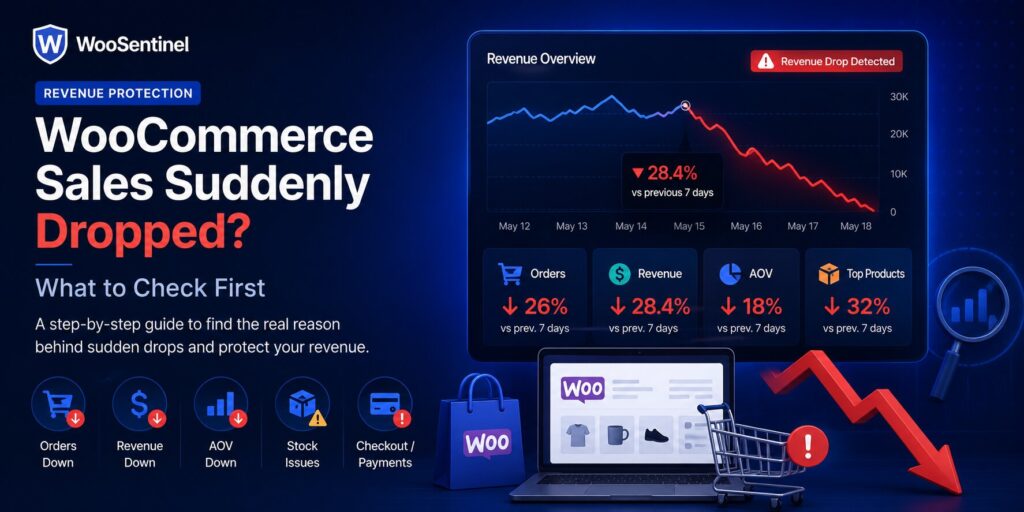
WooCommerce sales suddenly dropped is one of the most important warning signs a store team can investigate because it may point to order declines, checkout issues, stock pressure, failed payments, product decline, or hidden operational problems.
A sudden sales drop does not always mean something is broken. It may be seasonal, campaign-related, product-related, or caused by normal customer behavior. But when the drop is meaningful, store owners and agencies need a structured way to review the signals instead of guessing from separate reports.
This guide explains what to check when WooCommerce sales suddenly dropped and how WooSentinel approaches the workflow carefully. It is written for store owners, agencies, and eCommerce teams evaluating WooCommerce monitoring, revenue protection, incident detection, and AI-assisted investigation without handing risky store changes to automation.
Why Sudden WooCommerce Sales Drops Matter
A sudden drop in WooCommerce sales can affect revenue, cash flow, stock planning, marketing decisions, and customer experience. The challenge is that the cause is not always obvious from one dashboard. Revenue may fall because fewer customers are ordering, average order value has changed, important products are not selling, stock is low, or checkout is causing friction.
WooCommerce teams are often busy with fulfillment, product updates, customer messages, campaigns, supplier coordination, and plugin maintenance. If the team only checks revenue at the end of the day or week, an issue can stay hidden until it has already caused lost sales. Monitoring helps teams notice unusual changes earlier and review them in a consistent way.
The important distinction is that visibility is not the same as automatic repair. WooSentinel is designed to monitor, detect, explain, and prepare recommended checks. Risky WooCommerce actions such as changing product stock, editing orders, issuing refunds, changing payment settings, or changing checkout settings do not happen automatically.
Common Reasons WooCommerce Sales Suddenly Dropped
A good operational workflow looks for patterns that affect revenue, orders, customer experience, or store operations. Depending on the store and plan, the possible signals may include:
- orders_drop when fewer customers are placing orders than expected
- revenue_drop when total revenue falls compared with the selected period
- aov_drop when average order value changes even if order count is stable
- top_product_drop when important product revenue declines
- low stock or stockout risk affecting high-demand products
- failed orders or payment gateway issues reducing completed purchases
- checkout friction, broken checkout steps, or unexpected customer drop-off
- sync failure or stale data that hides fresh operational signals
- campaign, traffic, pricing, coupon, or product visibility changes
Practical example
If WooCommerce sales suddenly dropped but order count is still normal, the team may need to investigate average order value, product mix, discounts, bundle availability, or top product performance. Customers may still be buying, but they may be buying lower-value items or missing high-value products.
If both sales and order count drop sharply, the investigation may shift toward traffic, checkout health, payment gateways, stock visibility, failed orders, or recent technical changes. A sudden drop should not be treated as one fixed problem. It should start a structured review of related operational signals.
In practice, the best response is usually a set of checks rather than a single assumption. Teams may review Revenue Watch, store health, order freshness, stock pressure, failed orders, sync status, recent product changes, campaign performance, and notification settings. A structured workflow reduces guesswork and makes it easier to explain why a specific issue was prioritized.
How WooSentinel helps
WooSentinel connects WooCommerce monitoring with incident detection, Revenue Watch, AI Copilot guidance, and AI Action Queue workflows. The product-led goal is simple: help teams see what changed, understand why it might matter, and review safe next steps from one operational layer.
WooSentinel uses Revenue Watch and incident detection to help teams investigate sudden WooCommerce sales drops with clearer operational context, comparison data, recommended checks, and possible AI Action Queue follow-up.
- detects revenue drops, order drops, AOV changes, and top product decline
- turns meaningful revenue movement into operational incidents
- connects sales drops to store health, stock, sync, and failed order signals
- includes estimated revenue impact and comparison context
- can prepare AI Action Queue follow-up for human review
- supports AI-enhanced explanations on eligible wallet-controlled plans
- keeps deterministic incident detection available without guaranteed recovery claims
Deterministic fallback and AI controls
WooSentinel keeps deterministic monitoring and rule-based insight available so teams are not dependent on OpenAI-enhanced analysis for every workflow. Where OpenAI-assisted features are available, they depend on plan permissions, wallet balance, and AI controls. This helps protect tenant spending and keeps advanced AI usage visible.
Human-reviewed action model
AI Action Queue is intentionally human-in-the-loop. AI can prepare summaries, recommended checks, and drafts, but users review actions before execution. Safe internal actions can be recorded after approval, while risky WooCommerce writes are not performed automatically.
Operational checklist for teams
When WooCommerce sales suddenly dropped, start by comparing the current period with the right baseline. Review today against yesterday, this week against last week, or this month against the previous month depending on how the store normally operates. A comparison is more useful when the time window is consistent.
Next, separate the signals. Check whether revenue dropped because order volume declined, average order value declined, or important product revenue declined. Then review operational signals such as failed orders, checkout health, low stock, sync freshness, campaign changes, product visibility, coupons, pricing, and recent plugin or theme updates.
Finally, define ownership for the follow-up. Store owners may review products, stock, pricing, and promotions. Agencies may review checkout, payment, sync, and store health. Larger teams may separate revenue review from technical troubleshooting. The value of monitoring increases when sales drops turn into clear ownership instead of scattered investigation.
Related Resources
Continue Exploring WooCommerce Monitoring
Learn more about WooCommerce monitoring, incident detection,
revenue protection, AI Action Queue, Revenue Watch, pricing,
security, and operational workflows.
WooCommerce Monitoring Platform
Learn how WooSentinel helps monitor store health, detect
operational incidents, protect revenue, and prepare
AI-assisted actions for review.
WooCommerce Monitoring Features
Explore Revenue Watch, AI Action Queue, AI Copilot,
incident detection, store health monitoring,
and revenue protection tools.
WooCommerce Monitoring Pricing
Compare plans, AI access, wallet controls,
store limits, and support options for
WooCommerce monitoring.
WooCommerce Monitoring Use Cases
See how WooSentinel helps store owners,
agencies, multi-store operators, and
enterprise WooCommerce teams.
WooCommerce Monitoring Security
Learn about store access, AI controls,
Revenue Watch boundaries, billing transparency,
and operational trust.
WooCommerce Monitoring FAQ
Find answers about Revenue Watch,
AI Action Queue, AI billing, plans,
incidents, and WooCommerce monitoring.
FAQ
Why did my WooCommerce sales suddenly drop?
WooCommerce sales may drop because of fewer orders, lower AOV, product decline, low stock, failed payments, checkout issues, traffic changes, sync problems, or normal seasonality.
What should I check first when WooCommerce sales drop?
Start by checking revenue, order count, average order value, top product performance, failed orders, checkout health, stock levels, sync freshness, and recent changes.
Is a sudden WooCommerce sales drop always a technical issue?
No. It may be seasonal, campaign-related, product-related, or caused by normal demand changes. Monitoring helps compare the drop with other signals before assuming a cause.
Can Revenue Watch detect WooCommerce sales drops?
Yes. WooSentinel Revenue Watch can help detect revenue drops, order drops, AOV changes, and top product decline, then turn meaningful changes into reviewable incidents.
Can AI explain why WooCommerce sales dropped?
Eligible plans can receive OpenAI-enhanced explanations when wallet balance and AI controls allow. Deterministic fallback remains available.
Start monitoring WooCommerce sales drops with more context
WooSentinel helps teams monitor WooCommerce operations, detect revenue movement, and review AI-prepared actions without sending checkout, login, or billing logic through the marketing site. Start Free Trial or compare the details on the pricing page.
For teams building a more reliable WooCommerce revenue monitoring process, the key is consistency. Review revenue incidents daily, confirm notification settings, keep store connections healthy, and document which checks should happen before a customer-facing issue escalates. WooSentinel is built to support that discipline with monitoring, recommended checks, internal links between workflows, and clear controls around OpenAI-enhanced features.
Ready to detect WooCommerce issues before they affect revenue?
Use WooSentinel to monitor store health, detect incidents, and understand what to fix first.